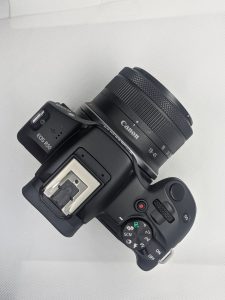
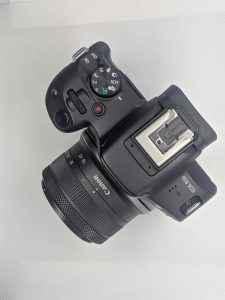
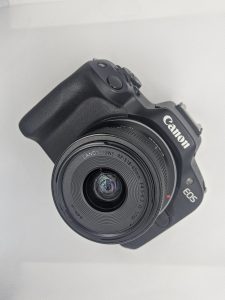
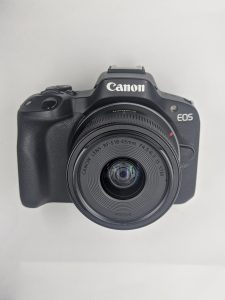
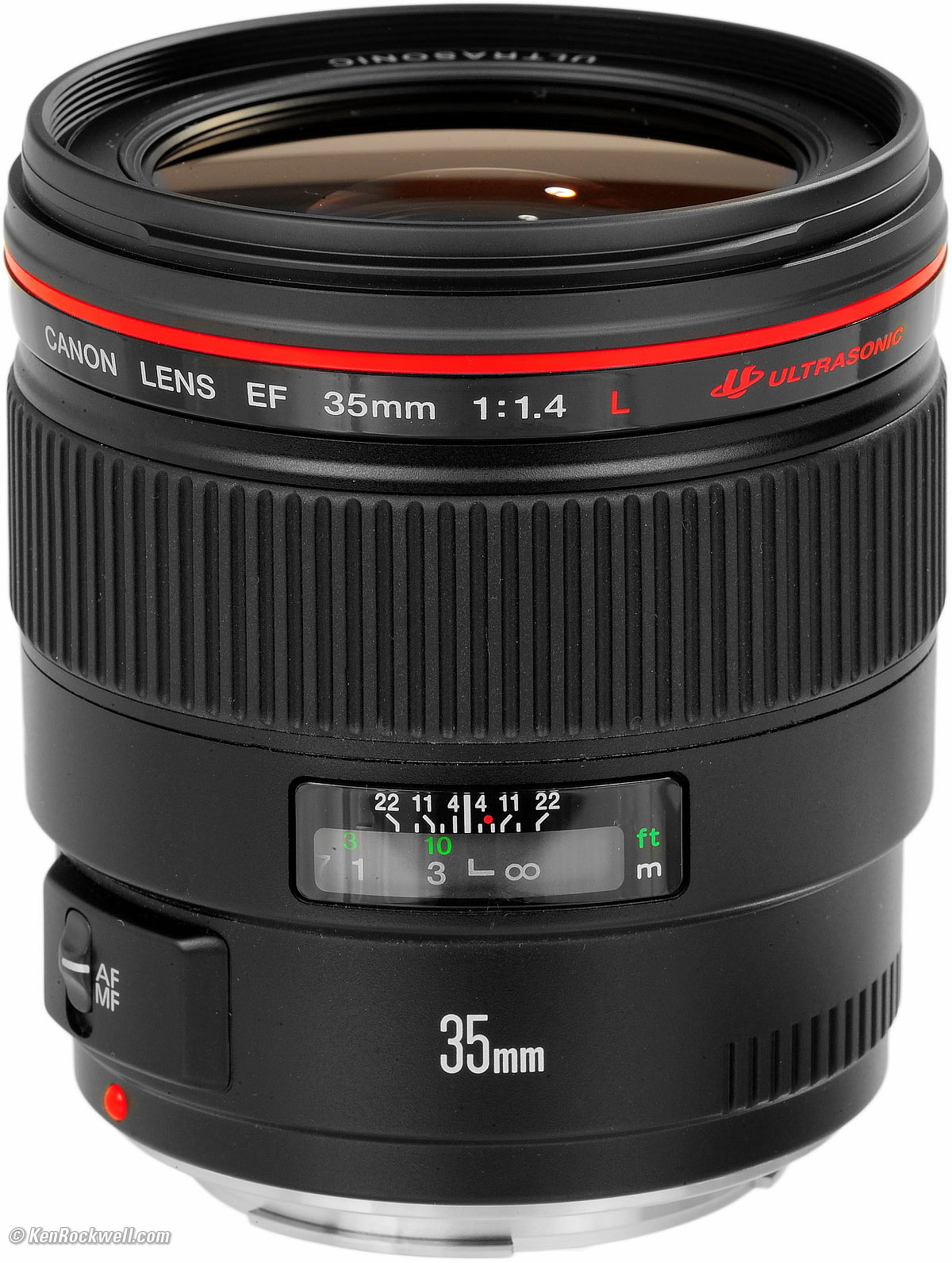
The Canon 35mm f/1.4 L USM lens is one of Canon’s top of the line lenses; hence the “L” status, price tag, and the red ring around the top end of the unit. The lens has a huge front element with a 77mm filter thread. Right below that is a large ring used for focusing. Users with larger hands and those that appreciate the feel of larger focusing rings will take quite a liking to this lens. Additionally, it may also be of very big use to cinematographers that put high value into their prime lenses. When your hand is cupping the lens for focusing, it can easily access the manual focus/autofocus switch right below the ring.
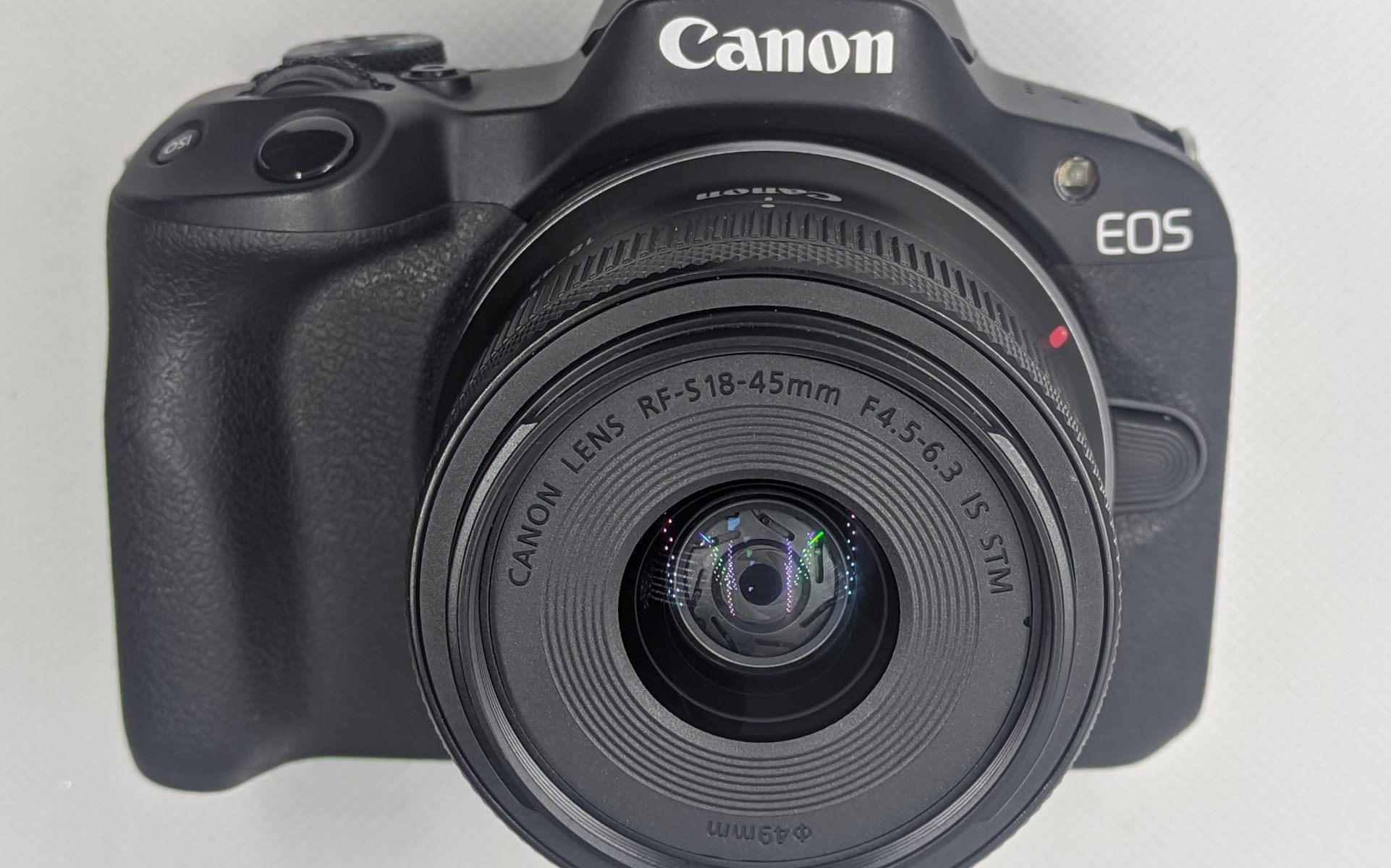
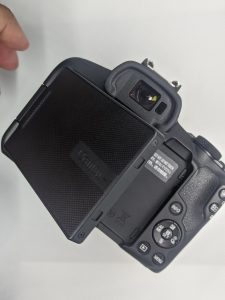
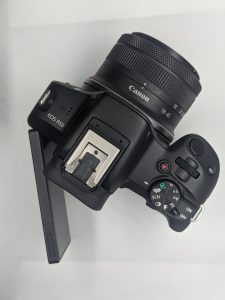
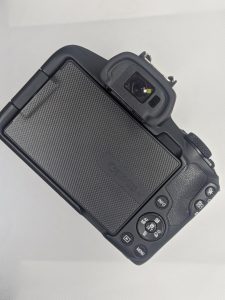
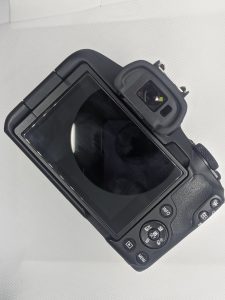
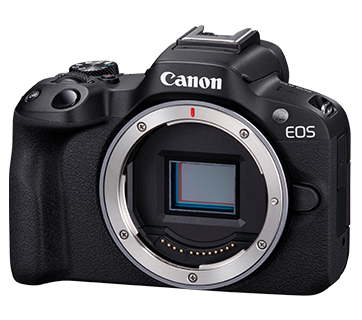
Canon R50 specialist in recording video in 4K 30p (6K oversampled) or Full HD 120p with the lightweight Canon EOS R50 gives you more room to express your creative abilities. Focusing for photos and videos is a breeze thanks to EOS iTR AF X and Dual Pixel CMOS AF II.
Highly accurate burst shooting of up to 15 frames per second allows you to capture stunning images at a resolution of 24.2 megapixels.
One-Shot AF, AI Focus AF (stills), Servo AF / Movie Servo AF
AF Point Selection
Spot AF, 1-point AF, Expand AF area (above/below/left/right or around), Flexible Zone AF 1/2/3, Whole area AF
AF System Points
Up to 651 AF frame zones
Built-in Flash
Available
Closest Focusing Distance (cm)
–
Continuous Shooting Speed (Shots Per Sec) (Up To)
Electronic 1st curtain: 12
Electronic shutter: 15Electronic 1st curtain: 12
Electronic shutter: 15**If flicker is detected, continuous shooting will slow down even when anti-flicker shooting is turned off.
Weight (g) (Including the battery and memory card) (Approx.)
*For camera kits, weight includes kit lens(es).
375 (Black) | 376 (White)
White Balance
Auto (Ambience priority / White priority), Daylight, Shade, Cloudy (Effective in twilight and sunset), Tungsten light, White fluorescent light, Flash*, Custom, Colour temperature setting (approx. 2500–10000 K)
White balance shift and white balance bracketing features available
*Flash colour temperature information transmission possible (EX / EL Series Speedlite)
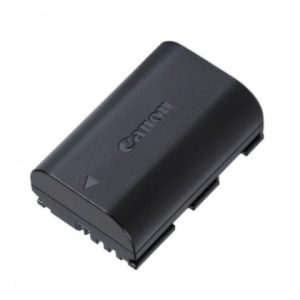
LP-E6. LP-E6N, LP-E6NH – all of the E6 batteries are forwards- and backwards-compatible, so the original LP-E6 will work in the latest EOS cameras, whilst the high capacity LP-E6NH will work in the oldest cameras that take the original E6 battery. The inly difference is their capacity.
Similarly, the LP-E4 and LP-E4N are interchangeable. However, the battery chargers are slightly different – the LP-E4 battery can be charged by the LC-E4, whilst the LP-E4N can be charged with either the LC-E4 or the LC-E19 charger.
The Sony Alpha A6500 is the third version in the Sony Alpha A6000 series, announced not long after the A6300, the camera offers a number of upgrades, including built-in 5-axis image stabilisation, a tilting touch-screen, improved grip, plus more. The camera features a 24 megapixel APS-C CMOS sensor, records 4K video, and shoots at 11fps. The A6300 and A6000 will remain on the market, offering alternative price points for this series.
Sony Alpha A6500 Features
The Sony Alpha A6500 features a 24 megapixel APS-C CMOS sensor, 11fps continuous shooting (with continuous AF) and is capable of shooting up to 307 shots continuously. The camera adds in-camera 5-axis sensor-based image stabilisation, a 3inch touch-screen, and features high-speed AF with 425 AF points and phase-detection focus.
The 3inch tilting screen is now a touch-screen that can be used to set the focus point, but can’t be used to scroll through the menu system or select items there. It can be used in playback to zoom into photos.
Sony Alpha A6500 – New Shutter Unit and 5 Axis IS
The camera has a new shutter unit, rated for 200,000 shots, and this has been re-designed to fit in the almost the same size body as the A6300, whilst also fitting in the 5-axis image stabilisation system that moves the sensor.
Like the A6300, the camera features 4K video recording, plus high-speed FullHD video recording at up to 120fps. There are numerous shooting modes, including full manual controls, custom modes, as well as smart Auto shooting, scene modes, and a panoramic mode.
Like other Sony cameras, Wi-Fi, and NFC are built-in and the A6500 supports Sony’s PlayMemory Apps, and if you register your camera with them, you will get two apps for free including a Star Trail and Multiple Exposure app. There are other apps available for free, as well as some paid apps. The A6500 also features Bluetooth, and this can be used to add location data to images.
Updated over the A6300:
New metering mode (highlight-weighted mode, entire screen average mode)
Enhanced spot metering (linked to focus area, standard or large)
Enhanced remote camera control (storage destination, raw and jpeg)
8mp stills can be extracted from 4K movies
Touch-panel AF system
Slow and quick motion 1-100fps, for up to 50x quick motion and 4x slow motion (FullHD)
Improved buffer for 269 shots at 11fps, and 307 shots at 8fps
5-axis image stabilisation (sensor-based) – up to 5 stops
Being the third A6000 camera, with the previous two cameras remaining on the market, we thought we’d show a quick comparison of main differences of these three cameras:
Following on from the A6500, Sony has introduced the A6400 in January 2019, and A6600 in August 2019, if you’d like to see how they compare, have a look at our A6400 vs A6500 vs A6600 comparison.
Key Features
24.2 megapixel APS-C CMOS sensor
5-axis sensor-based image stabilisation
3inch tilting touch-screen (touch-AF), 921k dots
2.36m dot EVF, 0.7x magnification
New front-end LSI and BIONZ X
425 Phase Detection AF points (with 84% sensor coverage)
0.05sec AF
11fps continuous shooting with AF
200,000 cycle shutter unit rating
4K video (30,25,24p) 100Mbps (from 20mp / 6K image)
ISO100 to ISO51200
Dust and moisture-resistant magnesium alloy body
3inch tilting touch-screen,
Wi-Fi, Bluetooth, NFC
Sony Alpha A6500 Handling
The Sony Alpha A6500 design has been improved slightly, with the camera now featuring two Custom buttons (C1 and C2) on top of the camera, and a third Custom button on the back. The grip is larger than the previous model, and has a textured rubber cover than extends round to the back of the camera, where there is a lip for your thumb. There is quick access to ISO, exposure compensation, and drive mode using the 4-way controller / scroll wheel. You can also get quick access to settings using the Fn/Function button, and these on-screen settings can be customised so that you have access to your favourite settings. However, strangely, despite the camera having a touch-screen, you can’t use the touch-screen to change these settings.
The camera feels well built and even the battery cover feels good, with a thick plastic used. The camera features a magnesium-alloy body that is weather-sealed, when used with a weather-sealed lens. The tilting screen and pop-up flash use metal hinges making them strong even when extended out of the camera. The memory card slot is in under the camera, in the same place as the battery.
The inclusion of in-camera image stabilisation has resulted in a heavier camera compared to the A6300, with an increase of 49g, although this increase isn’t too much with the camera feeling compact and easily stored in a compact camera bag, or large pocket, particularly with one of the smaller lenses. There are 425 phase-detection focus points covering a wide-area of the sensor, and having a touch-screen it is easy to set the focus point using the screen.
The electronic viewfinder (EVF) looks good, with a high resolution of 2.36m dots, and 0.7x magnification. The “Hi” speed “live-view” continuous shooting mode has been designed to give minimal blackout between shots, and shoot at 8fps, making it easier to track subjects. The screen looks good, although it’s worth noting that the screen has a 16:9 aspect ratio so photos appear smaller on it than they would if it had a 3:2 aspect ratio.
The menus are now colour coded, so that each main section has its own colour, for example, Photo1 (Photo options) is colour coded in red, Photo2 (Mostly movie options) is colour coded purple, etc. This is welcome, however, the photo section now has 14 pages of options (up from 9 on the A6300), and the Photo2 section has 9 pages of options. This is because Sony has organised the options into more logical categories, however, this means that some pages have only 1 or 2 options on them. You can see the options and layout of the menus in the video below:
Wi-Fi features – Wi-Fi, and NFC are built-in and the A6500 supports Sony’s PlayMemory Apps. There are apps available for free, as well as some paid apps. The A6500 also features Bluetooth, and this can be used to add location data to images. You can use Wi-Fi to send photos to a smartphone, a computer, view images on a TV, as well as use NFC to set up the connection.
Battery life – Battery life is rated at 350 shots when using the screen according to Sony / CIPA test results, which is reasonable, although is 50 fewer shots than the A6300. You can also power the camera using a portable USB charger if you need to.
8 Gigabyte boleh tangkap dalam berapa keping gambar?
8 Gb atau 8 gigabyte boleh memuatkan gambar mengikut format gambar yang ditangkap oleh pengguna. Bagi format biasa anggaran dalam 900 keping gambar. Manakala dalam format kamera dan editing anggaran dalam 300 keping. Manakala pengguna yang ingin menggunakan kedua-dua format ini anggaran gambar yang dapat dimuatkan dalam anggaran 200 keping gambar.
C.Fn III-8
+/- 20 steps
Adjust all lenses by same amount
Adjust up to 20 lenses individually
Exposure Control
Metering Modes
TTL full aperture metering with 35 zone SPC
(1) Evaluative metering (linked to any AF point)
(2) Partial metering (approx. 8% of viewfinder at centre)
(3) Spot metering: (approx. 3.5% viewfinder at center)
(4) Center weighted average metering
Metering Range
EV 1 – 20 (at 20°C with 50mm f1.4 lens ISO 100)
Exposure Comp
+/-2 EV in 1/3 or 1/2 stop increments (can be combined with AEB).
AEB
+/- 2 EV, 1/2 or 1/3-stop increments
ISO Sensitivity
Auto (100-3200), 100-6400 (in 1/3-stop or whole stop increments)
ISO can be expanded to H1: 12800 and H2:25600
Shutter Speed
30 – 1/8000 sec. (1/3 stop increments), Bulb (Total shutter speed range. Available range varies by shooting mode)
WB Settings
Auto, Daylight, Shade, Cloudy, Tungsten, White Fluorescent light, Flash, Custom, Color Temperature setting.
White balance compensation:
1. Blue/Amber +/-9
2. Magenta/ Green +/-9.
Custom WB
Yes, 1 setting can be registered
Viewfinder
Type
Pentaprism
Coverage
Approx. 98%
Magnification
Approx. 0.71x
Eyepoint
Approx. 21mm
Information
AF information: AF points, focus confirmation light.
Exposure information: Shutter speed, aperture value, ISO speed (always displayed), AE lock, exposure level/compensation, spot metering circle, exposure warning, AEB.
Flash information: Flash ready, high-speed sync, FE lock, flash exposure compensation.
Image information: White balance correction, CF card information, monochrome shooting, maximum burst (2 digit display), Highlight tone priority (D+).
DOF Preview
Yes, with Depth of Field preview button.
Eyepiece Shutter
On strap
LCD
Type
3.0″ Clear View TFT, approx. 920K dots
Coating
Dual Anti-reflection
Brightness Adj
Auto 3 levels + Manual adjustable to one of seven levels
Display Options
(1) Quick Control Screen
(2) Camera settings
Flash
Built-in GN
N/A (ISO 100, meters)
Built-in Coverage
N/A
Built-in Recycle Time
N/A
Modes
E-TTL Auto Flash
X-Sync
1/200sec
Exposure Compensation
+/-2 EV in 1/3-stop increments
Hot Shoe/PC Terminal
Yes / Yes
External Flash Comp
E-TTL II with EX series Speedlites, wireless multi-flash support
External Flash Control
Via camera menu
Shooting
Shooting Modes
Auto (Stills and Movie), Creative Auto, Program AE, Shutter priority AE, Aperture priority AE, Manual (Stills and Movie), Custom (x3)
Picture Styles
Standard, Portrait, Landscape, Neutral, Faithful, Monochrome, User Defined (x3)
Image Processing
Highlight Tone Priority
Auto Lighting Optimizer (4 settings)
Long exposure noise reduction
High ISO speed noise reduction (4 settings)
Auto Correction of Lens Peripheral illumination
Drive Modes
Single, Continuous, Self timer /remote control (10s), Self timer /remote control (2s)
Continuous Shooting
Max. Approx. 3.9fps. (speed maintained for up to 78 images (JPEG) (310 with UDMA card), 13 images (RAW))
Shutter Lag
73ms
Viewfinder Blackout
145ms
Live View
FrameRate
30 fps
Focusing
Manual Focus (Magnify the image 5x or 10x at any point on screen)
Autofocus: Quick mode, Live mode, Live Face detection mode
Metering
Real-time evaluative metering with image sensor
Active metering time can be changed
Display Options
Grid overlay (x2), Histogram, data, no data
File Information
Still ImageType
JPEG: Fine, Normal (Exif 2.21 [Exif Print] compliant) / Design rule for Camera File system (2.0),
RAW: RAW, sRAW1, sRAW2 (14bit, Canon original RAW 2nd edition),
Digital Print Order Format [DPOF] Version 1.1 compliant
Menjawab bersoalan di atas, sesuatu bateri boleh bertahan dari 1 jam sehingga 8 jam untuk sekali cas mengikut cara penggunaan. Kebiasaannya, 3-4 jam adalah tempoh yang biasa bagi pengguna gambar yang heavy user dan continues shooting terutama event yang merakam banyak moments penting seperti perkahwinan, pertunangan, konvo, etc. Stand by lah paling kurang 1 exta bateri untuk event2 yang penting.
Untuk kamera DSLR view gambar menggunakan view finder lebih menjimatkan bateri berbanding view di live view.
Bagi event yang melibatkan rakaman video 1 jam sehingga 1 jam 30 minit adalah tempoh yang biasa. Stand by satu extra battery atau dua adalah wajib. untuk rakaman video.
The Canon EOS M was released on July 23, 2012, as the first mirrorless interchangeable-lens camera from Canon. Along with the EOS M, Canon also announced the first two lenses for the new “EF-M” mount: Canon EF-M 18-55mm f/3.5-5.6 IS STM and Canon EF-M 22mm f/2 STM. Among major camera manufacturers, Canon was the last to enter the mirrorless market.
Aside from Panasonic and Olympus sharing the same Micro Four Thirds sensor and Nikon going with a smaller “CX” sensor, all other manufacturers chose large APS-C sized sensors (Samsung, Sony, Fuji, and Pentax), each with its own proprietary lens mount. With the introduction of the EOS M system, Canon has officially joined the APS-C club. Instead of developing a new sensor format, Canon chose to reuse the same 18 MP sensor from the EOS Rebel 650D / T4i DSLR camera. Canon also released an EF-M to EF / EF-S adapter for mounting existing and future DSLR lenses on the EOS M, with full compatibility with all lens functions such as autofocus and image stabilization.
With its arch-rival Nikon debuting the Nikon 1 CX mount with a smaller 2.7x crop factor sensor a year earlier, Canon made sure that the 1.6x crop factor APS-C sensor was in the headlines of its announcements, with “The Quality of a Canon DSLR” title being a major part of the initial marketing effort. I spent over two months with the Canon EOS M while testing other mirrorless cameras, so I will be doing a lot of comparisons of the EOS M to other cameras in this review, along with discussing the strengths and weaknesses of the camera. Let’s take a look at the Canon EOS M in detail.
ISO Sensitivity Range: ISO 100-12800, expandable to 25600 in H mode)
Autofocus System: Hybrid CMOS AF (phase-detection AF/contrast-detection AF)
Autofocus Points: 31 AF points
LCD: 3″ Touchscreen LCD with 1040K dots
Video: Full 1080p HD movie shooting 30p/24p/25p
Video AF: Face Detection + Object Tracking AF
AF Modes: 4 Standard “Creative Zone” Exposure Modes (Program, Shutter Priority, Aperture Priority and Manual) and 8 additional presets
Battery Life: Up to 230 shots
Shutter: Vertical-travel, mechanical, focal-plane shutter with all speeds electronically-controlled (1/4000 max)
Lens Compatibility: Compatible with Canon EF and EF-S lenses via an optional EF-EOS M mount adapter
Flash: Standard size flash hot shoe
Continuous Shooting Speed: Up to 4.3 FPS
Canon EOS M + EF-M18-55mm f/3.5-5.6 IS STM @ 23mm, ISO 320, 1/40, f/5.6
Detailed technical specifications for the Canon EOS M are available at Canon.com.
Canon 18 MP CMOS Sensor
One of the most important attributes in a digital camera is its sensor – the heart of the camera that is responsible for capturing images. As I have already pointed out, the Canon EOS M has exactly the same APS-C sensor as the Canon 650D DSLR. It is a big, 1.6x crop factor sensor that can deliver ISO 100 to 12800, expandable to ISO 25600. Here is a chart that shows how Canon’s APS-C sensors compare to others (courtesy of Wikipedia):
Another big advantage of a larger sensor is the smaller depth of field, which translates to better opportunities to isolate subjects from the background – an important factor for many photo enthusiasts and pros out there. Once Canon releases fast primes for the M mount, it will be possible to capture creative photographs with beautiful bokeh; something that is tougher to achieve on small sensor cameras. At the same time, a larger sensor requires a bigger image circle from lenses, which means bigger lenses. So a big sensor can be both good and bad, depending on how you look at it (more on this below).
In terms of image quality, as you can see from the Camera Comparisons page of this review, it is very good at low ISOs below ISO 1600 and a little weaker at high ISOs when compared to the excellent 16 MP sensor from the Sony NEX-5R. It is also weaker in dynamic range when compared to the competition (as can be seen further down below). But despite this, the EOS M produces the same excellent colors and skin tones as Canon’s DSLRs and 18 MP is more than plenty for most photography needs. Hence, while image quality is important, I would not look at it as the only benchmark. That’s why I recommend reading about all the other features of the camera and then decide if it fits you or not.
Canon EOS M + EF-M18-55mm f/3.5-5.6 IS STM @ 45mm, ISO 100, 1/320, f/5.6
Camera Construction and Handling
The Canon EOS M has a solid build, with a magnesium alloy body that does not feel cheap like some of the entry-level DSLRs do. Despite the great build, it is unfortunately not weather-sealed for photographing in harsh environments. Design-wise, the EOS M looks and feels a lot like the Nikon 1 J2 that we reviewed earlier. It is almost identical in size and width, except it is a little taller.
Just like the J2, it does not have a protruding grip, although Canon equipped it with a piece of plastic for slightly better handling, similar to what Nikon did on the Nikon 1 V1. The front of the camera has a very simplistic design that resembles the J1/J2, with only a single button to release the lens, as seen below:
Interestingly, the lens release button and the AF assist lamp are located in the same spot on both cameras.
The top of the camera is designed differently, with an ISO standard hot shoe, a power On/Off button, camera mode dial with a shutter button on top of it:
The ISO standard hot shoe is a huge plus to this camera. One of my biggest complaints of the Nikon 1 system, is its proprietary flash mount, which limits the cameras to speedlights that are only designed for the Nikon 1 cameras. Canon took a different route with the EOS M and decided to use the same hot shoe it uses on its DSLRs, which makes all existing speedlights fully compatible with the camera. It also means that you can use the EOS M with third party flash triggers like PocketWizard and attach various accessories. Since the camera does not have a built-in flash, Canon threw in the Canon 90EX flash into the kit, which is a compact and pretty good quality flash when compared to the cheap N50 flash that Sony bundles with the NEX-5R.
I did not like how Canon implemented the On/Off button with the dial. Instead of having a separate power button, Canon should have integrated it into the dial, similar to what Sony did on their NEX cameras. It is much more convenient to rotate the dial to turn the camera on and off, instead of pressing a small button (especially when wearing gloves in winter). On NEX cameras, you power on the camera and the shutter release is right there on the top. Simple and convenient. The dial on the EOS M is used to switch between three shooting modes: Scene Intelligent Auto (same as on Digital Rebel DSLR cameras), image stills and movies.
Unfortunately, there is no traditional PASM dial anywhere on the camera – the only way to switch between different camera modes is by using the Info button on the back of the camera, then using the rotary dial or the touchscreen to choose between Manual, Aperture Priority, Shutter Priority, and Program modes. When I started using the camera for the first time, it took me some time to find these hidden settings. Naturally, I went into the camera menu looking for the shooting mode setting, only to find that it was nowhere to be found there. I am not sure why Canon came up with this idiotic method to change the most basic exposure setting. If there is no dial or button to do it, it should have at least been included in the camera menu.
The back of the camera is designed similarly to Nikon 1 and Sony NEX cameras. The 3″ LCD touchscreen is located to the left of the camera, while all function and control buttons are located to the right:
The video record button is on the top right side, which conveniently puts it right where your thumb would be. Most of the buttons are located lower, with the Menu and Playback buttons first, followed by a rotary dial that is very similar to the ones on Nikon 1 J2 and NEX-series cameras. The last Info button is located on the left bottom side of the dial. The design is indeed very simplistic – there are no additional buttons, including a function button anywhere else on the camera. Clearly, Canon’s goal was to minimize the number of physical buttons on the camera and increase the interaction on the touch LCD instead.
Canon EOS M + EF-M22mm f/2 STM @ 22mm, ISO 100, 1/100, f/7.1
Speaking of the touchscreen LCD, it is surely Canon’s biggest success on the EOS M. I have used the touchscreen LCD on Sony NEX cameras and I have tried it on other cameras before. Canon’s touchscreen LCD implementation beats them all very easily, by far. It is a very responsive design, without any noticeable lag. You touch an area of the LCD once and it responds immediately. It reminds me of the touchscreen on Apple’s iPhone – it is that good.
Images look beautiful on the gorgeous LCD with 1040K dots. When viewing images, you can swap the LCD and it will move to the next or previous image. The touchscreen LCD is multi-touch, which means that you can pinch your fingers to zoom in and out of an image. I wish Canon added a double tap to zoom to 100% of the image view and implemented more multi-touch features to take it to the next level. Clearly, I have not seen touchscreen LCD this good on any other camera. Sony’s touchscreen is terrible in comparison.
Now let’s talk about the size and bulk. While the camera itself is small and lightweight, it has a rather large lens mount, which translates to bulky lenses. The standard 18-55mm zoom lens that is shipped with the EOS M is a massive chunk of glass, as clearly shown the below image:
The lens extends even more when zoomed in to 55mm. The lens resembles Sony’s 18-55mm kit lens in size and bulk, although the Canon version is much better in quality and optics (more on this below under “Lenses”).
As I have already pointed out, a larger sensor requires larger lenses, which is a definite disadvantage for any APS-C sized sensor camera, including the EOS M. The good news is, you can use small pancake lenses like the Canon EF-M 22mm to fit the camera into your pocket. And because it is Canon, you can expect lenses to be excellent.
The bad news is, any decent f/1.4 or f/1.8 portrait or telephoto lens that Canon makes in the future will not be small or lightweight. Definitely not anywhere close to what Olympus and Panasonic were able to achieve with their Micro Four Thirds system. I hope Canon is working on “collapsible” zoom lenses for the EOS M and shorter focal length prime lenses like 35mm f/1.8. The EF-M mount desperately needs smaller and lighter lenses, instead of 18-200mm superzooms. Otherwise, large lenses defeat the purpose of a compact mirrorless system the EOS M intends to be.
Canon EOS M + EF-M18-55mm f/3.5-5.6 IS STM @ 25mm, ISO 320, 1/40, f/5.6
A very important feature that is missing on the EOS M is an electronic viewfinder (EVF). Unlike the entry-level Sony NEX cameras that come with a port that you can attach a viewfinder to (which you can purchase separately), the EOS M has no such option. For me, this is almost a deal-breaker, because I am used to composing shots using a viewfinder. I find it hard to take good shots when I have to photograph with my arms extended.
Battery life is also pretty low. Just like the Nikon 1 J2, it only lasts up to 230 shots. In comparison, the Sony NEX-5R is rated at 330 shots, while the Nikon 1 V1 can do 350 shots. While writing the review, I had the battery charged close to 50% and the battery died pretty quickly (in less than an hour) when I was going through the camera menu, playing with autofocus and taking random shots. The camera was not powered on all the time either.
Overall, it looks like Canon is going after the beginner crowd with the EOS M, rather than a serious enthusiast/amateur with this simplistic design, lack of EVF and a touchscreen LCD. For me, the ergonomics are rather poor and I would say that the EOS M rivals the Nikon 1 J2 and NEX-5R, than the more serious cameras like Nikon 1 V1/V2, Sony NEX-7 and Olympus OM-D E-M5.
Canon EOS M + EF-M22mm f/2 STM @ 22mm, ISO 100, 1/60, f/8.0
Camera Menu System
If you have used a Canon DSLR before, you will be pleased to see the same “tabbed” menu system on the EOS M. Navigating through the menu system is easy and you can either use the touchscreen or the rotary dial to move between the settings and choose them. Being a Nikon user, I have always disliked the Canon menu system. I could never understand why Canon does not group menu items properly, allowing one to scroll down for more options. Instead, they use small icons with dots that indicate the menu number, making the menu system appear a little cluttered. And the Custom Functions menu setting is even more confusing to comprehend for a beginner. There goes my Nikon vs Canon rant 🙂 On the other hand, the Canon EOS M has a lot of menu options and plenty of customization capabilities. Way better than Nikon 1’s oversimplified menu system or Olympus’ cluttered “Custom Menu” in my opinion.
Canon EOS M + EF-M18-55mm f/3.5-5.6 IS STM @ 40mm, ISO 100, 1/400, f/8.0
Features and Responsiveness
The Canon EOS M comes with a standard set of in-camera features that can be useful for everyday photography. The “Lens aberration correction” feature found in the menu allows for in-camera peripheral illumination (vignetting) and chromatic aberration corrections. 7 picture styles with 3 custom styles can be selected from the Info menu screen. “Auto Lighting Optimizer”, which is similar to Sony’s “Dynamic Range Optimizer” and Nikon’s “Active D-Lighting” is also available in 3 different presets (Low, Normal, High). In-camera HDR is included, but there are no options for automatically stitching panoramas, as on Sony NEX cameras. Exposure bracketing and built-in intervalometer are also missing.
Canon EOS M + EF-M18-55mm f/3.5-5.6 IS STM @ 18mm, ISO 100, 6/1, f/8.0
As for responsiveness, the Canon EOS M is very similar to the Nikon 1, which is excellent. I have not yet experienced any lags with the camera menu or touchscreen (like on Sony NEX cameras) and navigating through the camera is a pleasure. On the negative note, the camera does take over a second to power on, so the Nikon 1 comes out with an advantage there.
Canon EF-M Lenses
As I have previously mentioned, the Canon EOS M came out with two lenses when it was launched – the Canon EF-M 18-55mm f/3.5-5.6 IS STM and the Canon EF-M 22mm f/2 STM. These are the only two lenses available for the EF-M mount, which is very limiting in my opinion. Unfortunately, Canon has not published any EF-M lens roadmaps either, which makes it impossible to know what is in the works for the new mount. I think Canon should have launched the EOS M with a couple of more lenses to give more options to the end-user. In comparison, Nikon came out with 4 lenses for the CX mount upon launch. So, for now, we only have two lenses to list for the EF-M mount:
As with DSLR cameras, Canon chose to go with lens rather than in-camera stabilization, so small and short focal length lenses like the 22mm pancake will not have built-in IS.
With the sensor crop factor of 1.6x, you have to multiply the focal length of each lens by 1.6 to get an equivalent field of view of a full-frame camera. For example, the 18-55mm lens is equivalent to a 28.8-88mm lens, while the 22mm pancake is equivalent to a 35.2mm lens.
Canon EOS M + EF-M18-55mm f/3.5-5.6 IS STM @ 18mm, ISO 100, 1/50, f/5.0
Both lenses are very good in sharpness, contrast, and colors, as expected from Canon optics. The Canon EF-M 18-55mm f/3.5-5.6 IS is sharp all around, making the Sony 18-55mm lens look bad in comparison. The 22mm pancake is also excellent, even wide open. I am planning to write full reviews of both lenses and evaluate their sharpness using Imatest software within the next few weeks.
A very big plus to the EOS M is the possibility to mount any Canon EF and EF-S lenses on the EOS M with an adapter. This is a huge advantage for anyone that owns Canon lenses, because the adapter is fully electronic, which means that all normal lens functions such as auto exposure, aperture control, metering, and autofocus work. So you can take any EF or EF-S lens, mount it on the adapter and attach it to the camera and it will work almost natively. Why almost? Because autofocus only works in single servo mode. Continuous servo mode does not function with the adapter. I did not find this surprising, as continuous AF is really bad to start with on the EOS M.